A man's at odds to know his mind cause his mind is aught he has to know it with. He can know his
heart, but he dont want to. Rightly so. Best not to look in there. It aint the heart of a creature
that is bound in the way that God has set for it. You can find meanness in the least of creatures,
but when God made man the devil was at his elbow. A creature that can do anything. Make a machine.
And a machine to make the machine. An evil that can run itself a thousand years, no need to tend it.
This isn't a post about the machines, though. It is always the human builder that comes first and last.
The 2024 Advent of Code contest was what first
woke me up to the capabilities of AI for general-purpose programming.
Advent of Code problems are wordy, filled with ASCII diagrams, data that often
needs to be processed to get it into a usable data-structure, and they are generally
more involved than a comparable leetcode-type problem. In 2024, for the first
time, people using AI were scoring the top spots on the global leaderboard,
which tracks the fastest solves. There was a lot of hand-wringing about AI use
on the leaderboard, but the problem was clearly insoluble. Whether the people
using AI were trying to build hype, or just wanted to grief the
actually-competitive coders who do AOC, AI had achieved something momentous.
For 2025 the global leaderboard was completely abolished.
(Interestingly, this problem
seems like it gave the AI solvers a good deal of trouble.)
Over the course of 2025, looking over my ChatGPT history, I can see that I
used it in tandem with books I was reading, in order to dive deeper into
thematic elements, character analysis, and historical context. I found it
generally did well, but with books I knew very intimately from having read them
numerous times, I also saw where its analysis was shallow or lacking in some
kind of emotional or experiential fluency. I found myself correcting its
analyses at times in order to prod it to dig deeper in the "right" direction,
but then it felt like it changed gears to just placating me - the depth I hoped
for never materialized. It often sounded deep - verbose, confident, reassuring -
but to my ear it was as sounding brass, or a tinkling cymbal.
The actual prompting event for this whole post, though, happened at the end of
2025 around the holidays, when I updated my workstation to Debian 13 and Xfce
4.20. All of a sudden a whole bunch of GTK/GNOME shit that had been vaguely
irritating me for years caused me to boil over. I couldn't take it anymore -
and as much as Xfce exposes the best possible GTK desktop, the GNOME style
seemed to be devouring more and more of the things I liked, turning them into
huge, round, heavily padded ciphers covered in kabbalistic symbols.

Burgers are back on the menu, boys.
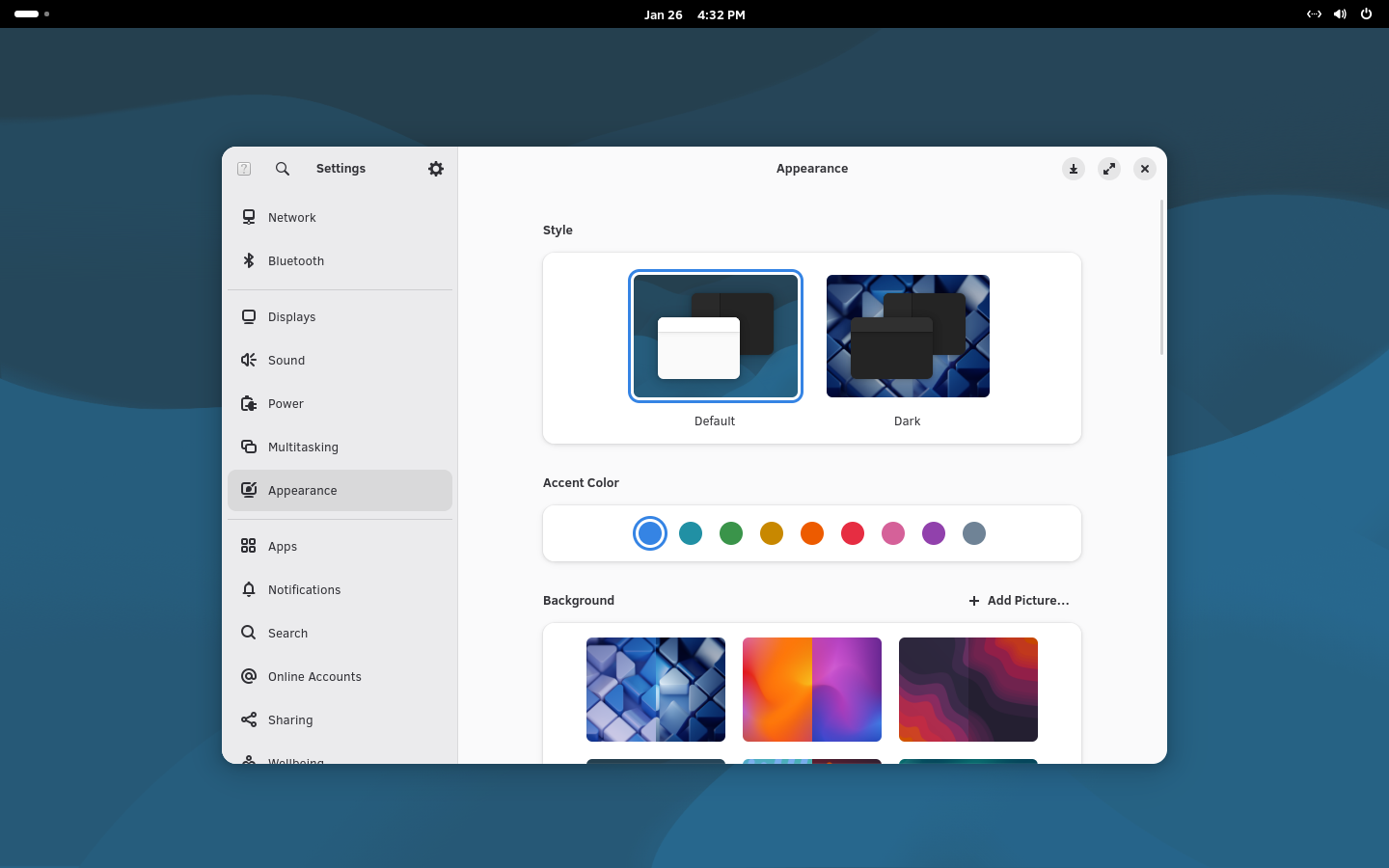
GNOME and GTK embody screenshot-driven-design. They've taken all the
actionable controls and either stuffed them into hamburger menus or removed
them entirely. This stance is coupled with an arrogance that could come only
from the corridors RedHat; a stance which proclaims that if users don't like
it, then the user is wrong. Over the last 10 years, the implicit philosophy of
"users are wrong" has grown to include "users must be protected from themselves".
Settings and configurability have dwindled to a laughable state:

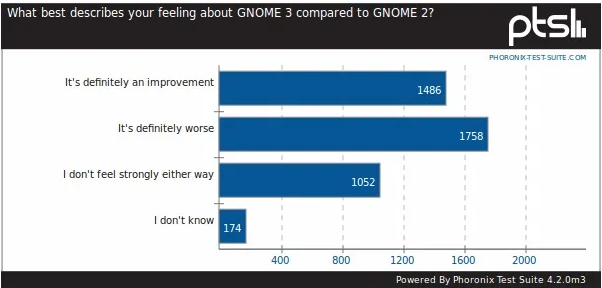
People will defend this.
This post explains GNOME better than I can,
but it's clear that GNOME is fully-committed to this aesthetic and things will
never go back to GNOME 2 levels of usability.

At one time the most popular image on /g/, probably.
As I began the new year, I decided to give KDE a try, and it has been a
wonderful surprise. I have been so much more satisfied with Linux on the
desktop since switching to KDE. It all works well, and I can configure it to
match all my workflows, keybinds, and other things I've grown so used to
over the years I feel crippled without them.
This is where AI makes its entrance. Over the years I'd developed a few Tkinter
applications for my own personal use. They were generally monoliths of code,
presentation and data-model heavily intertwined, and the product of many years
of tinkering. When I wanted to build new functionality, I tended to add it in
such a way as to minimize changes to the existing code, which might tumble the
whole edifice in the process. The result was a collection of applications I
used on a daily basis, often making half-hearted promises to myself I would
"rewrite it, correclty this time".
A perfect example is the image viewer I wrote. Originally, all it did was
display a listing of images in a directory down the left-hand side, and a
pannable preview to the right. Over time I added different viewing modes which
allowed toggling between full-resolution, fit to the display-port, or filling
the display-port while preserving aspect ratio. I wrote a rather baroque class
for managing the image list itself (the "model", I suppose) but it became
hopelessly mixed-up with the main application to the point that they really
should've just been one class.

I found it cumbersome to scroll through the list of files, so I added a
thumbnail gallery view later. This took a while to get right and it hardly used
any of the existing code. I remember it took longer-than-expected trying to get
the beveled outline around the focused image to display and update correctly.
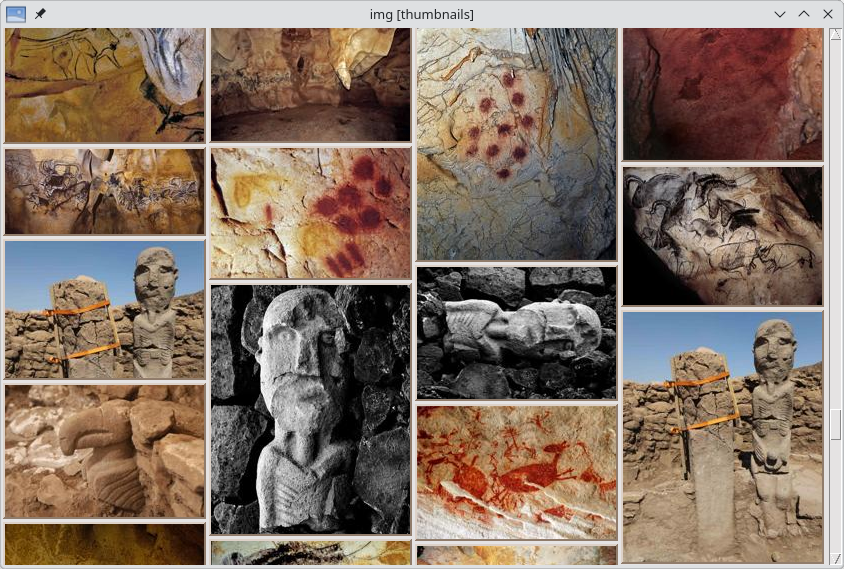
Eventually it worked, though, and it worked very well! It supports vim-style
navigation and has quite a bit of functionality exposed via keybinds and
context menus:

I thought: since I'm a KDE / Qt guy now, I should get rid of this Tkinter
monster (it is ~1500 dense lines of code, not including another 1000 in a
common helper module) and rewrite it to use PySide6.
A toolkit-to-toolkit port seemed out of the question, given that my Tkinter
codebase was both large and incredibly specific. The Tkinter canvas, used to do
the thumbnail view, also seemed like it would be especially tricky to manage in
Qt, due to the number of components I would need to learn to use. As soon as I
started poring over Pyside6 tutorials, blog posts, and documentation, I became
overwhelmed. Qt is huge, and I didn't know where to start.
I decided to try using ChatGPT. I think ChatGPT for a desktop GUI application
is a fantastic litmus test. Unlike a web application, server or terminal
application, there is an immediacy to every interaction with a GUI app that
makes poor coding decisions glaringly obvious. Additionally, when using a
complex framework like Qt, bad coding or usage that is not idiomatic should be
apparent even to someone unfamiliar with the toolkit. It is based on my
experiences iterating over this application with ChatGPT that I've come to form
some conclusions about its strengths and limitations.
My initial prompt probably belies my inexperience with AI, but here it is:
I'd like to make a PySide6 image viewer. The image viewer should have an
Open Folder menu action that recursively loads all images in the given directory
or directories (along with Quit/Ctrl+Q). The UI should be a split-pane, where
the left side is a Tree of the directories and image files, and the much-larger
right pane should show the image. The image can be toggled between two viewing
modes - fit to the viewport, or full resolution (which should use scrollbars
and be pannable by clicking and dragging).
ChatGPT happily produced an 150 line Python module along with a bullet-point
summary of the functionality it had implemented. When I went to run it, I got
an ImportError, and a couple iterations of AttributeError that GPT quickly
fixed. Once GPT fixed these immediately broken problems, I noticed another
issue:
It stutters a lot when panning with the mouse.
GPT then helpfully explained that it had given me an extremely inefficient
implementation of panning, and then provided one that was not only more
performant, but more correct idiomatically. After a couple more small
back-and-forths, GPT informed me that it had produced a fully-optimized
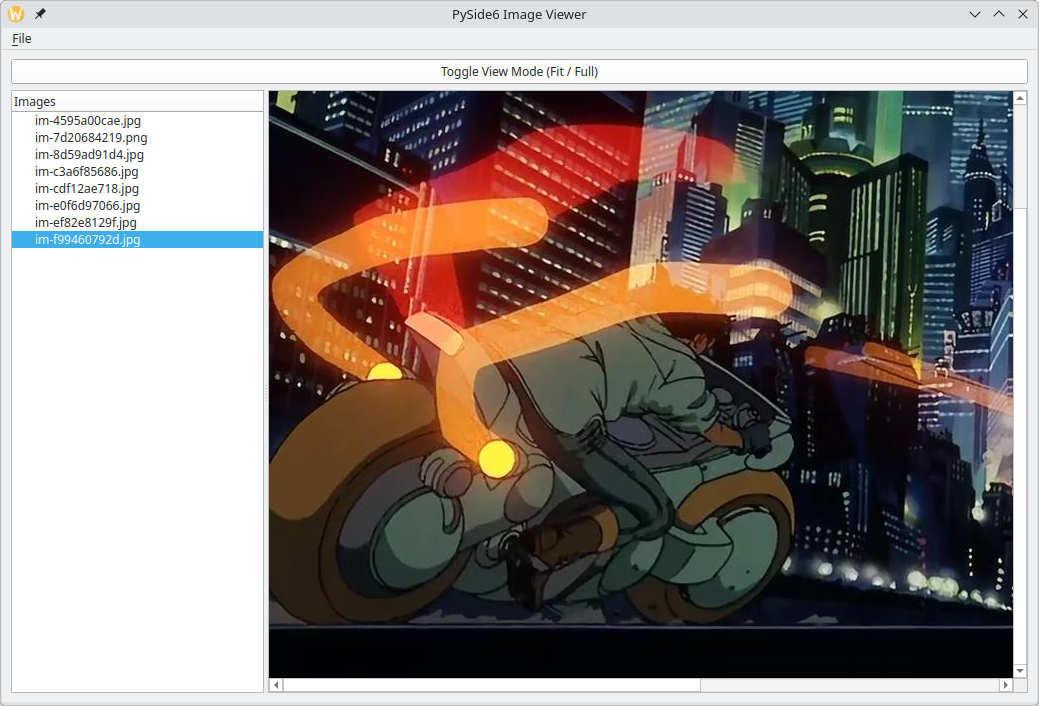
script that addresses all previous issues. Here is the result, overall
fairly impressive:

What I hadn't realized yet, was that correctness and coherence are not
interchangeable, and the latter is far more important to code - is in fact the
necessary precondition for correctness.
Swelled with the pride of wielding this newfound power, I became more ambitious,
adding keybinds and features. After another AttributeError or two we got to
some working code, but when I peeked at what it was doing, something didn't sit
right with the way the keybinds were implemented:
Is there a better way to handle the J/K keybinds?
GPT: Yes — there’s a much cleaner and more “Qt-ish” way than using an event filter, which is a bit hacky... (goes on and on).
Thus we forged on together, adding features like displaying a small thumbnail
in the tree-view alongside the image filename. As I opened up an editor to try
the latest iteration GPT had compiled, the problems continued.
This is no good - the image viewer is unresponsive during thumbnail generation,
and the tree-view now occupies way too much space, making the image label tiny
GPT: Good catch — both problems have real, underlying causes, not tuning
issues...Both come from architectural mistakes, not your machine.
Like the panning and the keybinds, GPT produced some code which has every
appearance of working, spits out a bulleted-list informing me that it has done
everything correctly, and then when I attempt to run it, the code is flawed in
some very tangible way. When prompted to review the issues, GPT generally picks
up on a more correct solution, but it begs the question why it didn't do it
correctly in the first place.
We ran into some more issues when attempting to build a standalone dialog that
displayed a single image along with the dominant colors. When I attempted to
run it, I ran into another AttributeError. What happened next was a first
during this interaction. GPT produced an extremely long response, beginning:
Excellent bug report — this is a very precise Qt/Python gotcha, and your
error message actually tells us exactly what’s wrong.
(I find GPT's use of bold, italic and bulleted lists to be disconcerting, by
the way - as if the emphatic, strong formatting can stand in for judgment and
discretion - ditto for the little tone of reassurance it likes to sprinkle into
its responses - seeking to reassure me that the problems with the output are
relatable man, it's not you man, this is just something difficult, you've got this)
GPT's analysis of "exactly what's wrong" was that it had named an attribute scroll, which it believed was conflicting
with a method name. As I said, it produced an extremely lengthy response,
ending with a trademark reassurance (using heading-4 tags this time) and a
bulleted list. But I had a different thought:
Actually, I think it was because we were resizing before the scroll area was created. Can you fix?
GPT: You’re exactly right 👍 — good instinct.
This is not a naming collision issue in your case.
Eventually I ran out of free credit on ChatGPT so I hopped over to try out
Claude. To get a baseline, I decided to start from scratch. I prompted Claude
by listing out the features and behaviors I had seen implemented by ChatGPT.
Claude did a much better job, overall, though it interestingly chose to
implement the dominant color extraction using k-means
initially! As my free credits on Claude diminished, I found myself running into
the same types of oddball usability and code quality issues with Claude. There
were series of iterations trying to sort-out some odd behavior with scrollbars,
toggling image display modes, and things like that.
These small-but-telling types of issues might not even rise to the awareness of
someone developing a server or web application, because they tend to be fiddly
little issues. Issues that are small, appear in the corners, but indicate the
presence of a failure to properly imagine what a correct approach would look
like. Issues that require a larger context in mind, and play into the
expectations one would have of a polished application (e.g. the image
viewer should not display a scroll-bar that only scrolls the height or width of
a scrollbar itself - it should just eliminate the unnecessary scrollbar).
As the iterations continued over the next couple days, I had GPT and Claude
both implement a thumbnail grid view along with some other functionality the
original Tkinter app had. GPT did poorly at producing a usable thumbnail view,
but Claude was able to get a fairly nice initial version working after some
back-and-forth. I had
abandoned GPT at this point - Claude seemed close, but it struggled to nail
the transition between the normal image display and the thumbnail grid display.
A person using the image viewer would immediately see that toggling between the
views was broken, and looking at the code it was clear there were some
architectural issues which prevented the mode-switching from working correctly.
At this point the little image viewer had grown from 150 lines to over 1000. I
decided at this point to abandon AI iteration and instead use AI for small, specific questions when I got stuck. This was also the first time I was going to take real ownership of the
code and begin making my own changes. And this is where I was struck with a new
realization: all the code that had been produced, by itself, was more-or-less
correct but there was no coherence among its members; it was a chimera.
The best example of this is the image canvas itself, which displays a
scrollable / pannable view of the image. The image can be fit fully inside the
viewport, fill the viewport (so there's a scrollbar along either the top or
bottom), or display the image at full resolution. The image canvas supports a
context menu with actions appropriate to the image. When I looked at the code,
I was surprised to see that the image canvas was implemented twice in two
different ways - once for the main window and once for the standalone
single-image view, despite sharing the exact same functionality. Even worse,
the context menu code appeared three times - once for the main window image,
once for the tree-view, and once for the standalone image detail view.
Looking more closely at the thumbnailing code, I saw that it, too, used two
completely distinct approaches for generating the thumbnails. The thumbnail
code for the tree-view (which displays a miniature between 16 and 64 pixels
tall) would re-generate all thumbnails whenever I changed the size preference,
then use a CSS to further resize them. It very cleanly sent tasks to the Qt
global threadpool, and had minimal book-keeping to keep state clean. The
grid-view implemented a much cleaner approach with on-disk caching and
signals to inform the application that a thumbnail was ready to be added to the
grid, but suffered from brittle state-tracking and lots of unnecessary thread
management code.
Refactoring the image canvas and context-menu significantly simplified the
codebase and seemed like such an obvious no-brainer that I couldn't understand
how it had been overlooked. Similarly, combining the best parts of the
thumbnail-generation routines led to a cleaner design - the cache paths were
unified, the brittleness was eliminated, and little discrepancies between the
parallel implementations were unified. After re-working the code from
top-to-bottom, I've become much more comfortable working with Qt and also feel
a sense of ownership of the code which had before been lacking.
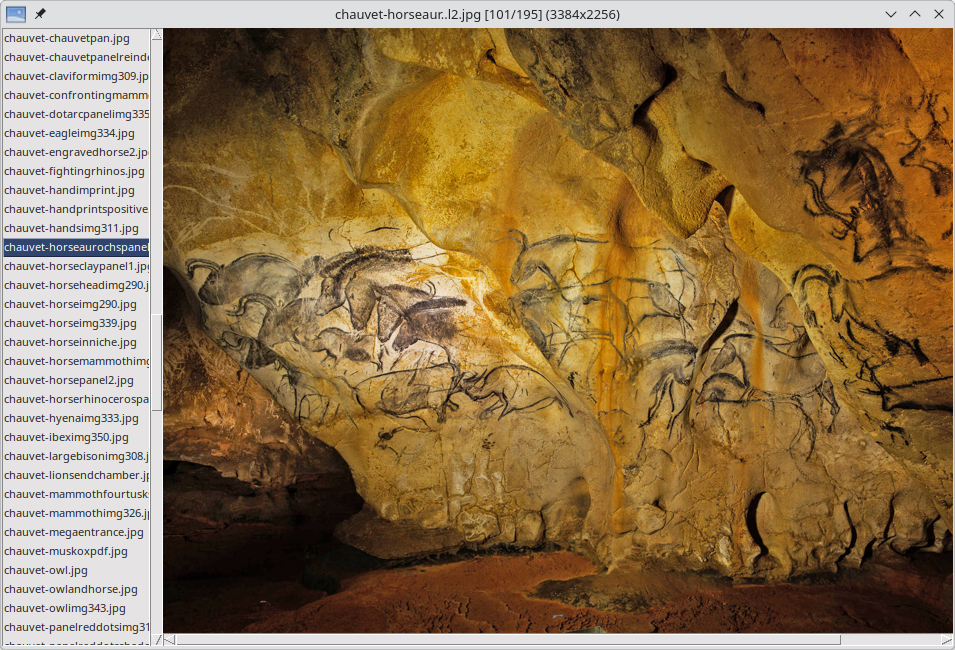
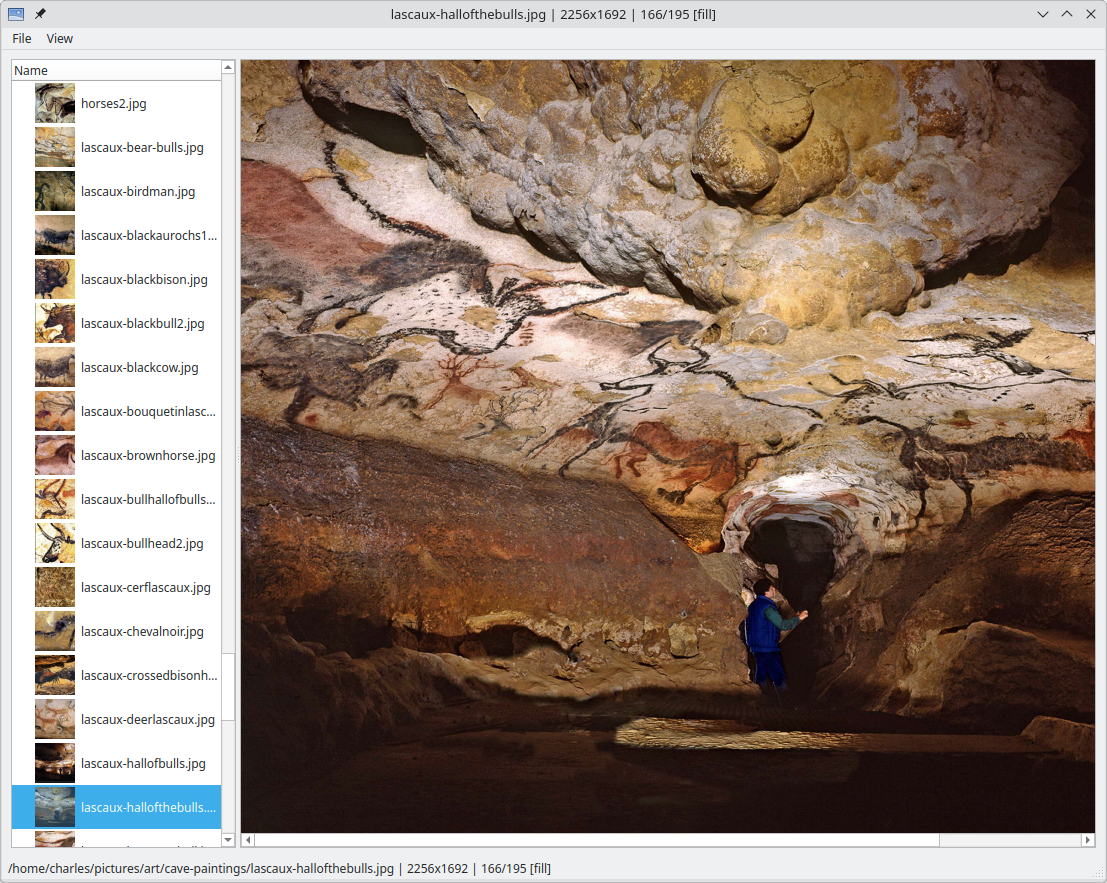
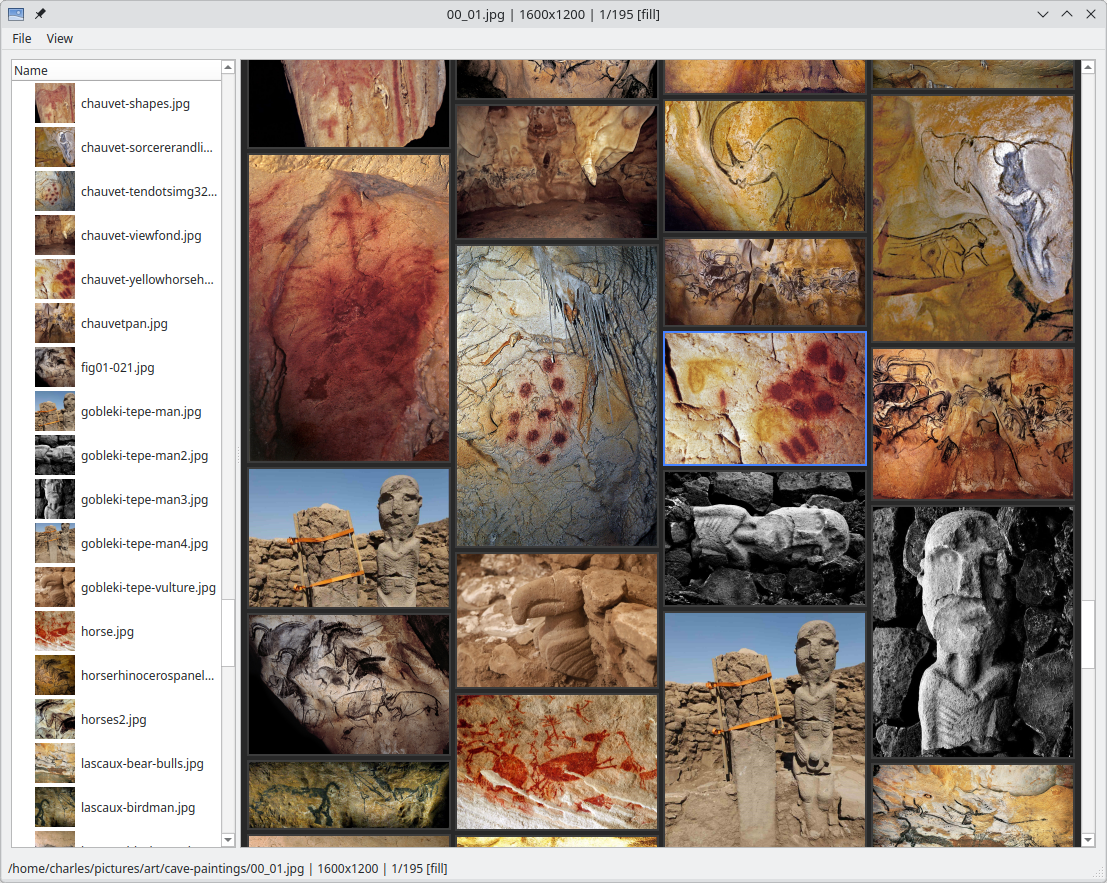
At the end of all this, I have a pretty nice image viewer:

Can you imagine standing there? I've tried to imitate the cave paintings, outlining an aurochs, a wild horse, a deer - and despite how deceptively simple these paintings are, I could never come remotely close to their vitality, their living-ness.

What I've come to see is that AI can be used to get off-the-ground quickly,
whether it's helping to understand literature, or writing a working image
viewer using an unfamiliar toolkit. What it produces aims to impart confidence, reassurance, a sense of proficiency - and this is where it falls apart. Because looking behind the curtain, I see that the scenery I'd been admiring from the afar is merely an approximation of the real. The trees just painted cardboard, incapable of bearing fruit, as that is the sole province of God and His creatures.